Housing Auto Pricing (Part 1)
The Beginning
So, the real estate auto-pricing is actually a project. And the story of this project is a long one. I remember taking on this project around May last year, then stumbling through it for a while, and finally giving up because the technical skills weren’t up to par (definitely not recommending this kind of academic spirit!).
But this matter wasn’t that simple…
Soon, around June, we’ll have to present the results.

Compared to just muddling through this final period, I think I should give it a shot!
This series of blog posts will record the hardships I encounter on my journey to make a final push.
Web Scraping Section
Before doing Data Mining, we definitely need to create a dataset. Unlike before, this time I plan to use the scrapy framework to crawl real estate website data.
First, let’s use scrapy to automatically generate a basic framework:
(HousingEvaluation) E:\code\python_code\HousingEvaluation>scrapy startproject HousingDataScrawler
Fatal error in launcher: Unable to create process using '"d:\bld\scrapy_1584555977003\_h_env\python.exe"  "D:\Program Files\anaconda\envs\HousingEvaluation\Scripts
\scrapy.exe" startproject HousingDataScrawler': ??????????
Oops! Error! After searching online, I found out we need to use the following command to execute it. I felt so wronged! o(╥﹏╥)o:
python -m scrapy startproject xxx
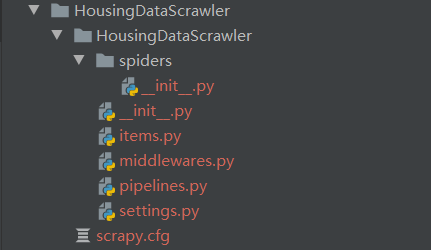
Here you can see the program structure after generation.
Then we select the website we want to crawl for housing information. This time we’re choosing Lianjia.
| House Layout | Floor Location | Building Area | Layout Structure | Interior Area | Building Type | House Orientation |
|---|---|---|---|---|---|---|
| 2BR 1LR 1KT 1Bath | Mid-floor (Total 4 floors) | 54.14㎡ | Flat | 37.7㎡ | Board-style Building | South-North |
| Year Built | Renovation Condition | Building Structure | Heating Method | Elevator-to-House Ratio | Property Rights Period | Elevator Available |
|---|---|---|---|---|---|---|
| 1990 | Renovated | Mixed Structure | Central Heating | One elevator per two units | 70 years | None |
After that, we open the website and find that each listing has a series of information, most of which is useful. Here we select House Layout (house_type), Floor Location (house_floor), Interior Area (house_area), Building Type (house_type), House Orientation (house_towards), Year Built (completion_time), Renovation Condition (house_finish), Elevator-to-House Ratio (elevator_ratio), Elevator Available (have_elevator) and the House Title (house_title), House Price (house_price), Transaction Date (trading_date) from the page for crawling.
Here is the composition of HouseDataItem.
class HouseDataItem(scrapy.Item):
    house_title = scrapy.Field()
    house_floor = scrapy.Field()
    house_price = scrapy.Field()
    house_type = scrapy.Field()
    house_finish = scrapy.Field()
    house_area = scrapy.Field()
    house_towards = scrapy.Field()
    have_elevator = scrapy.Field()
    elevator_ratio = scrapy.Field()
    completion_time = scrapy.Field()
    trading_date = scrapy.Field()
Next comes the painful parsing section. Since there’s so much to parse, I won’t explain it—just go straight to the code.
def parse(self, response):
    houseDataItem = HouseDataItem()
    houseDataItem['house_title'] = response.xpath('/html/body/div[4]/div/text()').extract()[0].strip()
    houseDataItem['house_price'] = \
    response.xpath('/html/body/section[1]/div[2]/div[2]/div[1]/span/i/text()').extract()[0] + \
    response.xpath('/html/body/section[1]/div[2]/div[2]/div[1]/span/text()').extract()[0].strip()
    date_in_text = response.xpath('/html/body/div[4]/div/span/text()').extract()[0].strip()
    if date_in_text.split(" ")[1] == "成交":
        houseDataItem['trading_date'] = date_in_text.split(" ")[0].strip()
        houseDataItem['house_floor'] = \
        response.xpath('//*[@id="introduction"]/div[1]/div[1]/div[2]/ul/li[2]/text()').extract()[0].strip()
        houseDataItem['house_type'] = \
        response.xpath('//*[@id="introduction"]/div[1]/div[1]/div[2]/ul/li[6]/text()').extract()[0].strip()
        houseDataItem['house_finish'] = \
        response.xpath('//*[@id="introduction"]/div[1]/div[1]/div[2]/ul/li[8]/text()').extract()[0].strip()
        houseDataItem['house_area'] = \
        response.xpath('//*[@id="introduction"]/div[1]/div[1]/div[2]/ul/li[3]/text()').extract()[0].strip()
        houseDataItem['house_towards'] = \
        response.xpath('//*[@id="introduction"]/div[1]/div[1]/div[2]/ul/li[7]/text()').extract()[0].strip()
        houseDataItem['have_elevator'] = \
        response.xpath('//*[@id="introduction"]/div[1]/div[1]/div[2]/ul/li[14]/text()').extract()[0].strip()
        houseDataItem['elevator_ratio'] = \
        response.xpath('//*[@id="introduction"]/div[1]/div[1]/div[2]/ul/li[12]/text()').extract()[0].strip()
        houseDataItem['completion_time'] = \
        response.xpath('//*[@id="introduction"]/div[1]/div[1]/div[2]/ul/li[8]/text()').extract()[0].strip()
        yield houseDataItem
Aha, finally done! Now the 160,000 links prepared earlier can be crawled one by one!!!
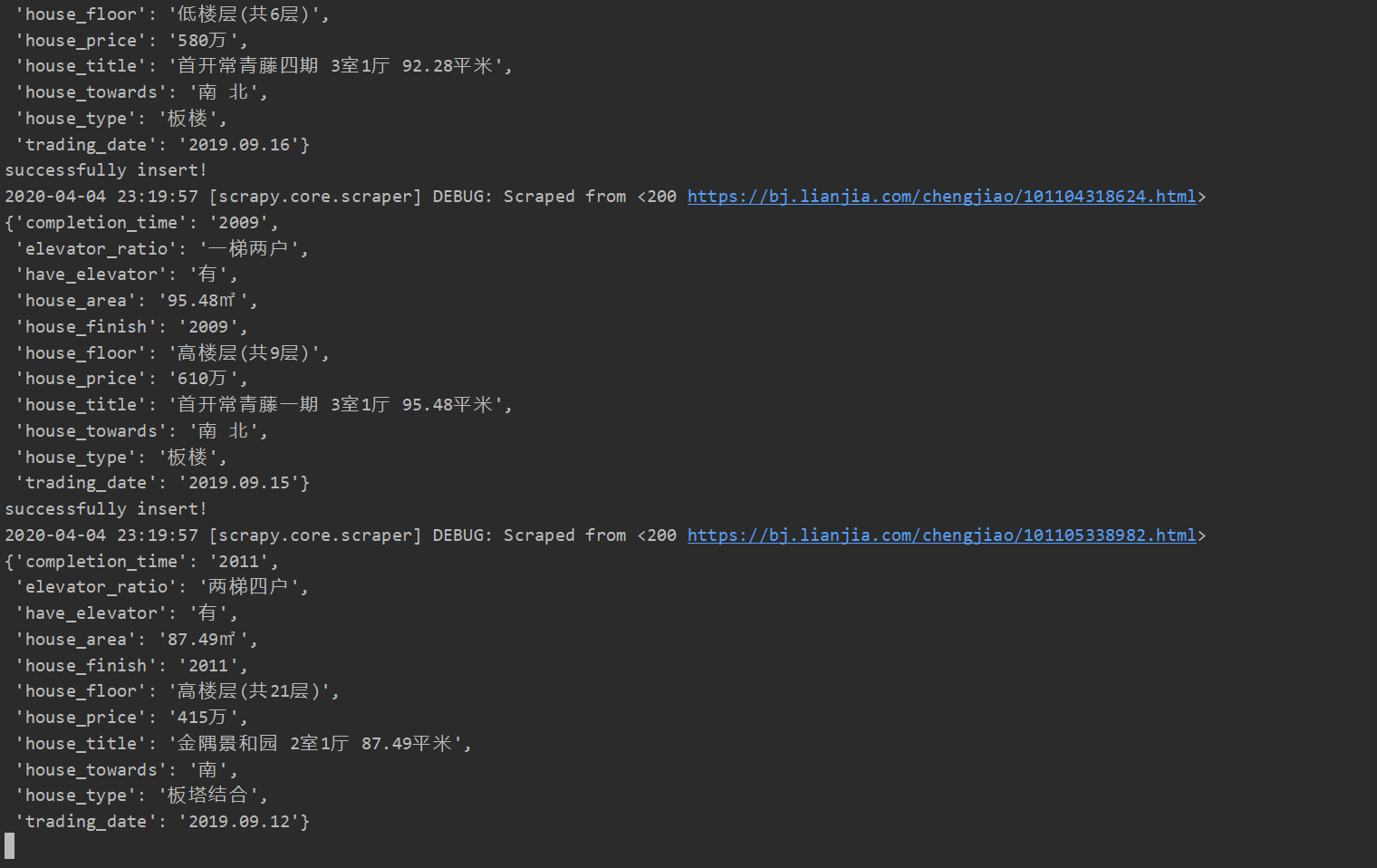
The speed is quite fast. We estimate we can get everything into the database by around midnight! So happy O(∩_∩)O haha~
Well, that’s it for today. Tomorrow I’ll format the raw crawled data~~ Hopefully I can persist!
git repository link: https://github.com/AIINIRII/HousingEvaluation/