Jupyter + PyCharm + Anaconda Setup Issues
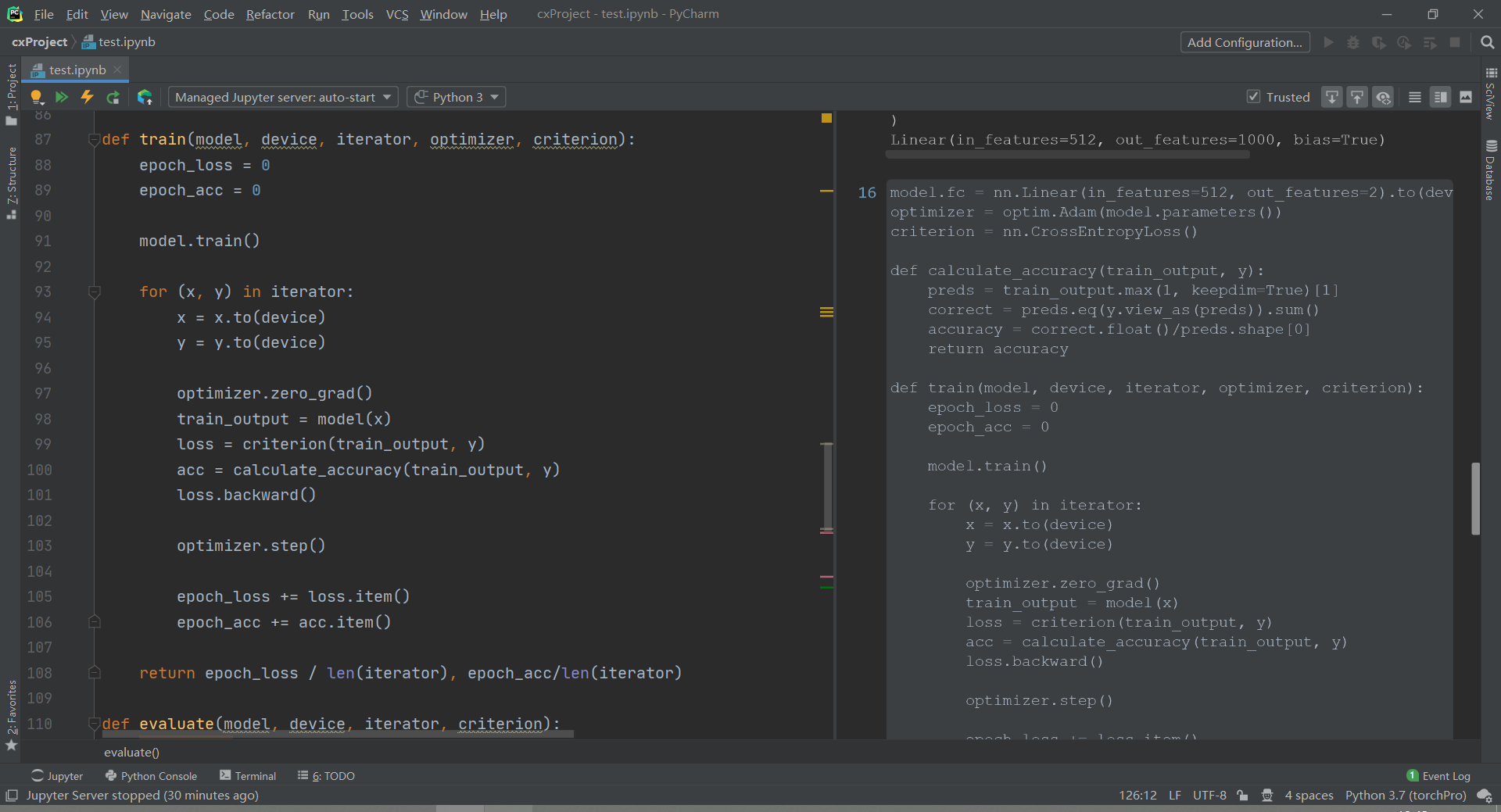
Today I suddenly discovered that Jupyter can actually be integrated into PyCharm!
Then, I excitedly went to implement the Jupyter + PyCharm + Anaconda environment deployment…
However… things weren’t as simple as I imagined..

After successfully installing the environment, I happily (and confidently) clicked Run Cell. Here’s the error:
Traceback (most recent call last):
  File "D:\Program Files\anaconda\envs\torchPro\lib\site-packages\tornado\web.py", line 1703, in _execute
    result = await result
  File "D:\Program Files\anaconda\envs\torchPro\lib\site-packages\tornado\gen.py", line 742, in run
    yielded = self.gen.throw(*exc_info)  # type: ignore
  File "D:\Program Files\anaconda\envs\torchPro\lib\site-packages\notebook\services\sessions\handlers.py", line 72, in post
    type=mtype))
  File "D:\Program Files\anaconda\envs\torchPro\lib\site-packages\tornado\gen.py", line 735, in run
    value = future.result()
  File "D:\Program Files\anaconda\envs\torchPro\lib\site-packages\tornado\gen.py", line 742, in run
    yielded = self.gen.throw(*exc_info)  # type: ignore
  File "D:\Program Files\anaconda\envs\torchPro\lib\site-packages\notebook\services\sessions\sessionmanager.py", line 88, in create_session
    kernel_id = yield self.start_kernel_for_session(session_id, path, name, type, kernel_name)
  File "D:\Program Files\anaconda\envs\torchPro\lib\site-packages\tornado\gen.py", line 735, in run
    value = future.result()
  File "D:\Program Files\anaconda\envs\torchPro\lib\site-packages\tornado\gen.py", line 742, in run
    yielded = self.gen.throw(*exc_info)  # type: ignore
  File "D:\Program Files\anaconda\envs\torchPro\lib\site-packages\jupyter_client\kernelmanager.py", line 168, in start_kernel
    super(MappingKernelManager, self).start_kernel(**kwargs)
  File "D:\Program Files\anaconda\envs\torchPro\lib\site-packages\jupyter_client\multikernelmanager.py", line 158, in start_kernel
    km.start_kernel(**kwargs)
  File "D:\Program Files\anaconda\envs\torchPro\lib\site-packages\jupyter_client\manager.py", line 305, in start_kernel
    self.kernel = self._launch_kernel(kernel_cmd, **kw)
  File "D:\Program Files\anaconda\envs\torchPro\lib\site-packages\jupyter_client\manager.py", line 212, in _launch_kernel
    return launch_kernel(kernel_cmd, **kw)
  File "D:\Program Files\anaconda\envs\torchPro\lib\site-packages\jupyter_client\launcher.py", line 135, in launch_kernel
    proc = Popen(cmd, **kwargs)
  File "D:\Program Files\anaconda\envs\torchPro\lib\subprocess.py", line 800, in __init__
    restore_signals, start_new_session)
  File "D:\Program Files\anaconda\envs\torchPro\lib\subprocess.py", line 1207, in _execute_child
    startupinfo)
FileNotFoundError: [WinError 2] The system cannot find the file specified.
Next, I went to the error file: D:\Program Files\anaconda\envs\torchPro\lib\subprocess.py
hp, ht, pid, tid = _winapi.CreateProcess(executable, args,
                                         # no special security
                                         None, None,
                                         int(not close_fds),
                                         creationflags,
                                         env,
                                         os.fspath(cwd) if cwd is not None else None,
                                         startupinfo)
I genuinely searched online with this code for quite a few rounds, but still couldn’t find where the problem was. o(╥﹏╥)o
However, when I switched back to the PyCharm running interface, I found
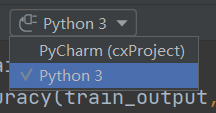
I had selected the one above before, and didn’t really understand what was going on, but after selecting Python 3, it was resolved.。